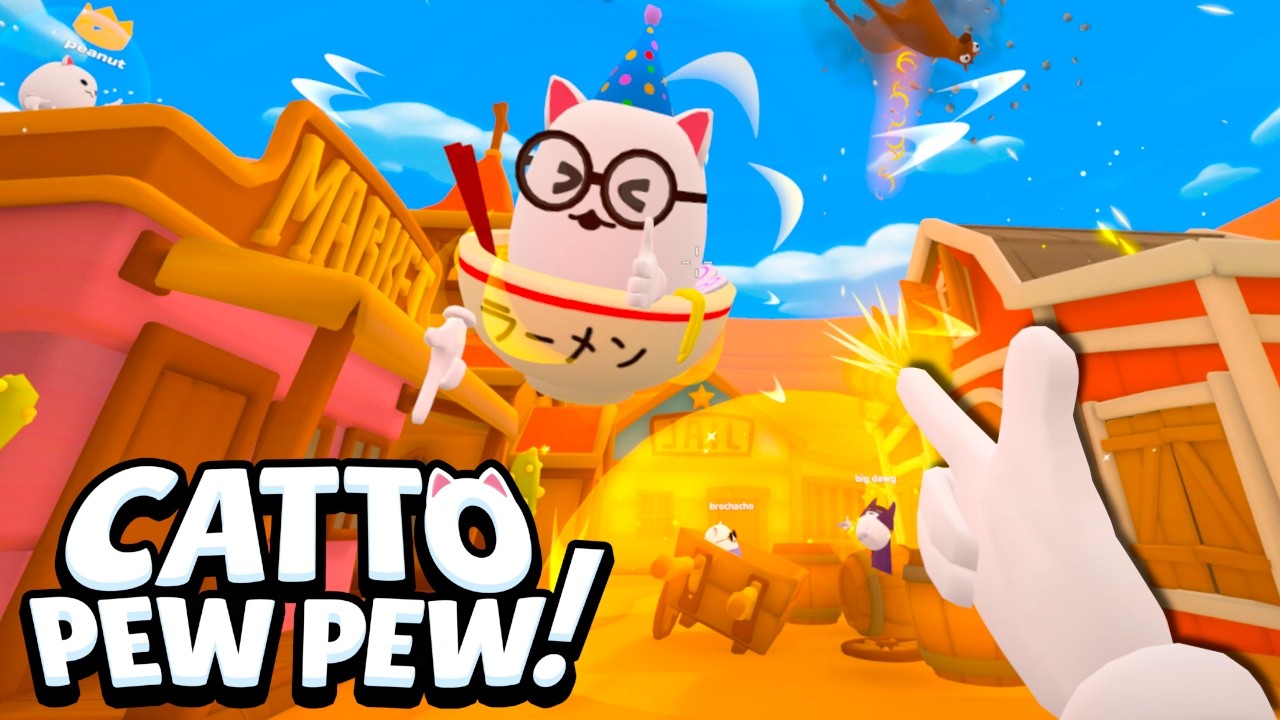
Catto Pew Pew in VR is where the game truly shines — you physically aim finger guns, hear proximity chat in spatial audio, and launch opponents with satisfying knockback feedback. VR controls are intuitive for newcomers but deep enough for competitive play. This guide covers headset setup, default bindings, comfort options, and how to compete against flatscreen players in crossplay lobbies.
VR Input Basics and Finger Guns
Your controllers become finger guns in VR. Point at targets and pull the trigger to shoot — the game tracks controller orientation for hit detection. There is no iron sights mechanic; accuracy comes from steady hands and predicting knockback trajectories.
Grip buttons typically handle grabbing, climbing, and Monke Mode interactions. Menu buttons on controllers open the pause menu and settings. Hand presence in VR means your cat character mirrors your arm movements, adding physical comedy to every elimination.
Unlike flatscreen where aim is mouse-driven, VR shooting uses 1:1 controller tracking. This gives VR players superior close-range accuracy and the ability to shoot around corners by extending controllers — a significant advantage in Fog Battle and tight maps like Finger Fort.
Supported Headsets and Platforms
Catto Pew Pew officially supports VR through Steam on PC. Meta Quest 2 and Meta Quest 3 connect via Steam Link for wireless VR sessions. The game was tested on an i7-9700 with GTX 1660 Ti for PC VR; Quest performance depends on your network quality and PC specs.
Other PC VR headsets such as Valve Index, HTC Vive, and Windows Mixed Reality may work through SteamVR but are not officially guaranteed. Compatibility varies by hardware and driver version. Check the Quest and Steam Link guide for the most reliable wireless setup.
VR is optional — you can play entirely on flatscreen with full feature parity except Monke Mode locomotion. Crossplay lobbies mix VR and PC players seamlessly with no separate queues required.
Comfort Settings and Motion Sickness
Catto Pew Pew VR uses room-scale and standing play by default. Monke Mode arm-swing locomotion reduces traditional artificial movement, which helps players prone to motion sickness. If you feel discomfort, take breaks every 20-30 minutes during intense sessions.
Snap turning is available in settings for players who prefer discrete rotation over smooth turning. Vignette options during movement can further reduce discomfort. Start with conservative comfort settings and gradually increase freedom as you adapt.
Proximity chat in VR is spatial — voices come from the direction of other players. This adds immersion but can be overwhelming in 16-player lobbies. Adjust individual player volume or use push-to-talk with friends for a cleaner audio experience.
VR Combat Techniques
Lead your shots on moving targets accounting for knockback direction. Shooting slightly below center mass launches enemies upward — useful for map-out eliminations on Knockback Canyon and Sunset Silos. Horizontal shots send enemies sideways off platforms.
Use physical ducking and leaning to dodge return fire. VR hitboxes follow your head and body position. Crouching behind cover is a genuine tactic, not just a button press. Peeking around corners with one controller extended minimizes exposure.
Powerups appear as glowing pickups at fixed map locations. VR players can physically reach toward spawns while maintaining aim with the other hand. Practice quick powerup grabs between shots to maintain momentum in extended fights.
Crossplay Fairness and Etiquette
Some flatscreen players argue VR has unfair advantages on vertical maps. Oakley Blade Games designed crossplay intentionally — both platforms have tradeoffs. VR excels at close range and verticality; flatscreen excels at long-range tracking and stable strafing.
Avoid toxic behavior enabled by proximity chat. The feature is beloved for comedic moments, not harassment. Report players through Steam if voice chat crosses lines. The community is generally friendly, especially in friend lobbies.
For competitive ranked climbing, learn which maps favor your platform and queue accordingly. VR players should prioritize Cratestack and maps with parkour routes. Flatscreen players should favor open sightline maps and Fog Battle.
Frequently Asked Questions
Do I need VR to play Catto Pew Pew?
No. VR is completely optional. The full game including all gamemodes, ranks, and maps is available on flatscreen PC. VR adds Monke Mode locomotion and physical finger-gun aiming but is not required for any content.
Can Quest 3 play without a gaming PC?
Quest requires a PC running Steam for Steam Link streaming. There is no native Quest standalone version at launch. Your PC handles rendering while the Quest displays the stream wirelessly.
How do I reduce VR motion sickness?
Enable snap turning, use vignette during movement, and rely on Monke Mode arm swinging rather than smooth locomotion. Start with shorter sessions and increase play time gradually. Sit down if needed — many players compete effectively from a chair.
Are VR players separated from PC players in matchmaking?
No. VR and flatscreen players share matchmaking pools. Lobbies can contain any mix of up to 16 players across both platforms. This is a core design feature, not a limitation.
Related Pages
Flatscreen Controls
Playing Catto Pew Pew on flatscreen means mastering fast movement and precise finger-gun aim while VR opponents parkour around you with Monk…
Monke Mode
Monke Mode is Catto Pew Pew's signature VR locomotion system — swing your arms to move, climb, and parkour across arenas like a chaotic cat …
Quest & Steam Link
Meta Quest 2 and Quest 3 are the officially supported standalone headsets for Catto Pew Pew VR, connecting to your gaming PC through Steam L…